#Homelab #AI #DA #IT #Linux
FreyLab.systems
I get technical — poke around, break stuff, fix it. That's how I actually learn how things work. Which is also the joke behind the domain: say "Frey Lab systems" out loud and you get "I fry lab systems." So watch me break, make, and learn.
Meet Necropolis
Time for the cluster showcase. In my first post I shared that I was experimenting with setting up a cluster of PCs. I want to share more about that. So meet Necropolis!
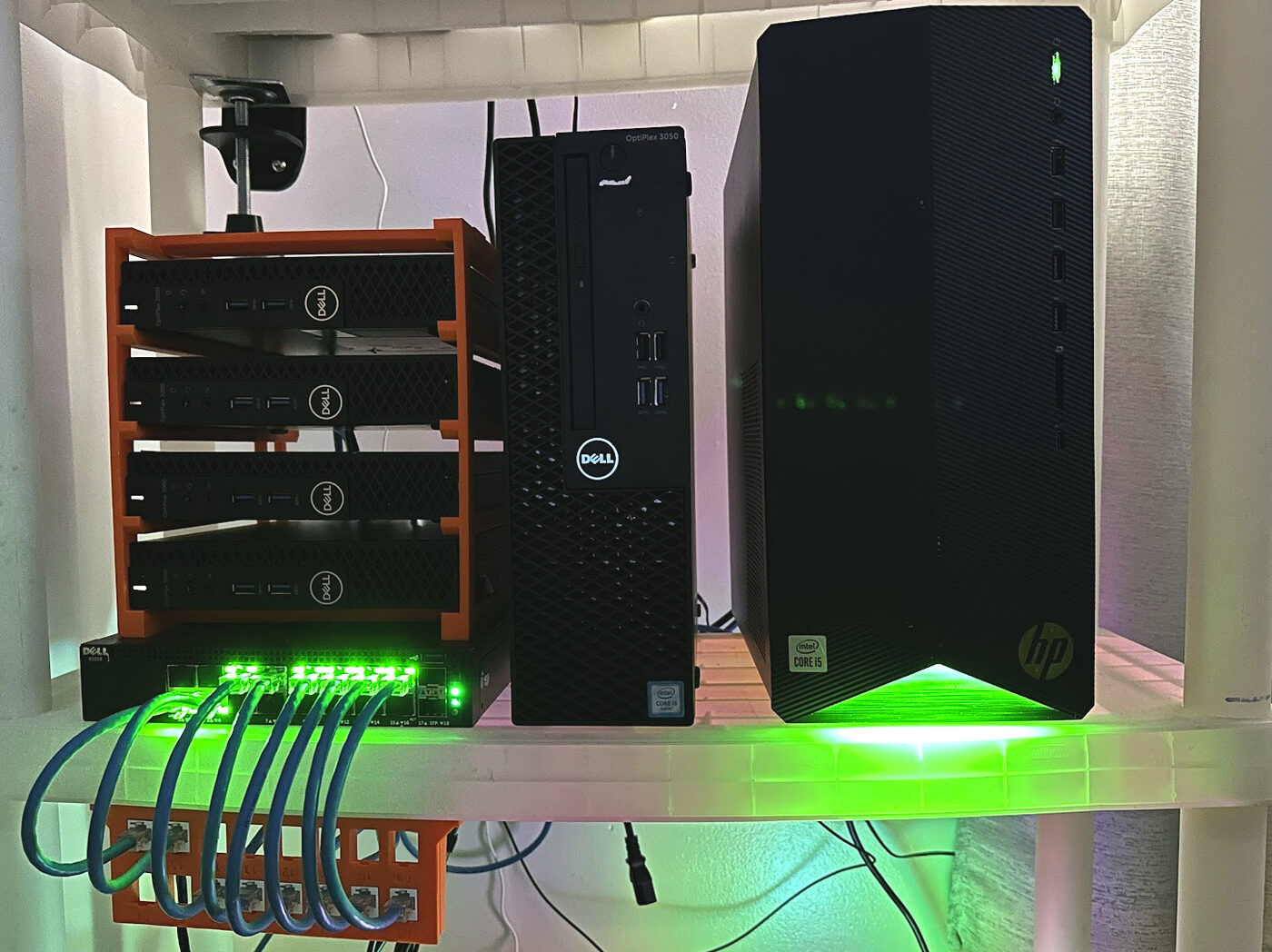
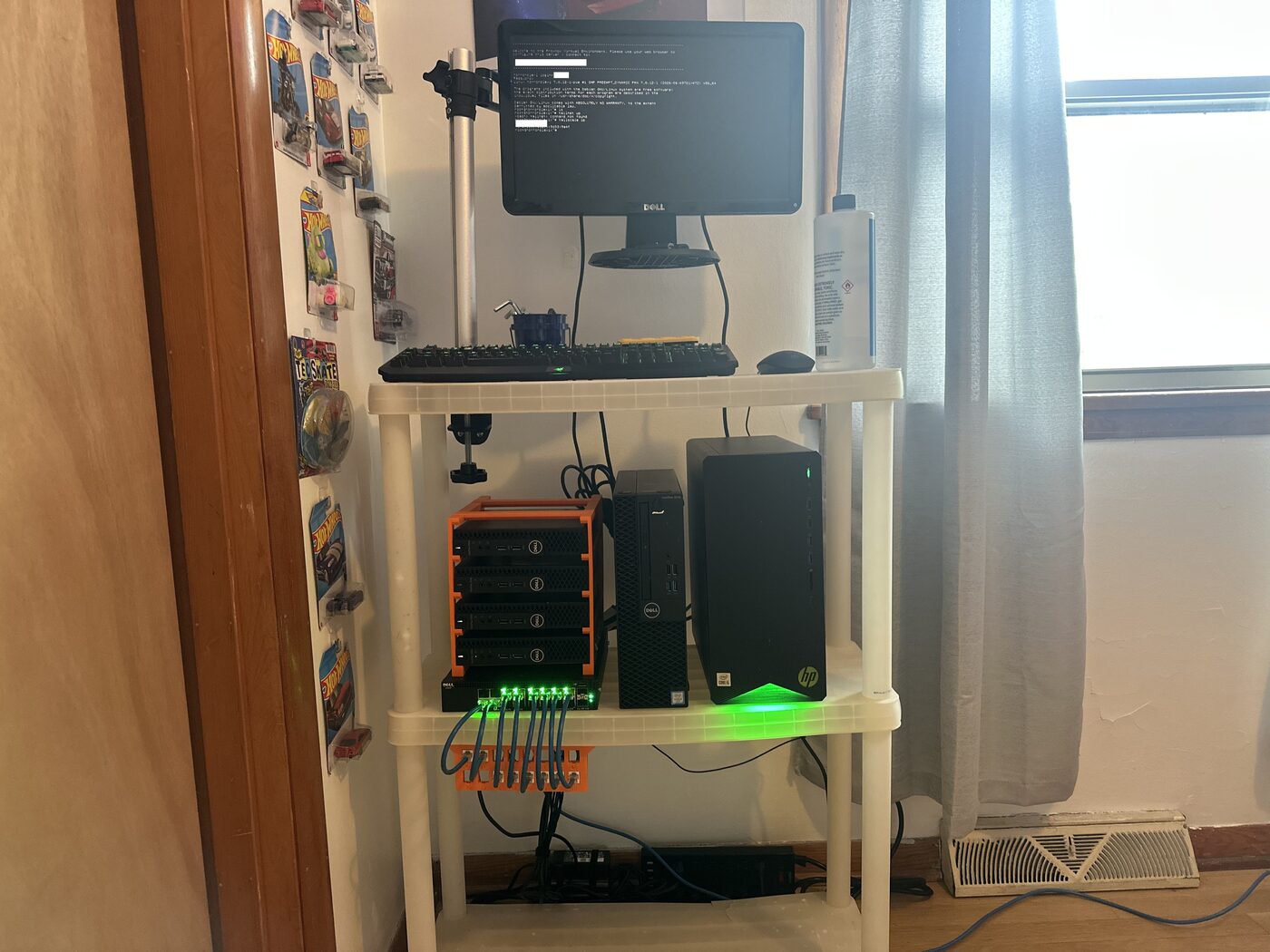
Right now it’s four Dell OptiPlex 3060 Micros, a Dell X1018 switch, and a Dell OptiPlex 3050 SFF. I clustered them so everything lives behind one web UI instead of five and so I can learn more about clustering. I did not have a rack and thought about doing a 10” rack build, but then I remembered I own a 3D printer and decided to print a rack for the OptiPlexes. Here are the links to the files I used: Dell OptiPlex Micro rack. Yes, the patch panel is also 3D printed! The HP Pavilion in the photo is a separate machine that will be used for Frigate — a future project. Spec sheet below for the cluster:
| Node | Model | CPU | Gen / Arch | RAM | RAM Speed | Storage |
|---|---|---|---|---|---|---|
| horrorplex 1 | OptiPlex 3060 | i5-8500 | 8th / Coffee Lake | 32GB DDR4 | 2666 | 240GB SATA M.2 |
| horrorplex 2 | OptiPlex 3060 | i5-8500 | 8th / Coffee Lake | 16GB DDR4 | 2400 | 500GB M.2 NVMe |
| horrorplex 3 | OptiPlex 3060 | i5-8500 | 8th / Coffee Lake | 16GB DDR4 | 2666 | 256GB SSD |
| horrorplex 4 | OptiPlex 3060 | i5-8500 | 8th / Coffee Lake | 16GB DDR4 | 2666 | 256GB SSD |
| horrorplex 5 | OptiPlex 3050 | i5-6500 | 6th / Skylake | 16GB DDR4 | 2400 | 240GB Intel S3510 SATA |
There’s a reason I chose five nodes. First, headroom. Second, Proxmox docs and the community both push you toward an odd number, because an odd cluster can’t deadlock in a 50/50 vote. And the fault tolerance is the same either way — five nodes tolerate two failures and still hold quorum, and so does a six-node cluster. The sixth machine costs you money and power and buys you nothing but a tie risk.
Each node is a “horrorplex” starting at 1 and going up. The name of the nodes was derived from my digital name, jakehorror, and the name of the machines, OptiPlex. So, the cluster’s name “Necropolis” was suggested by Nero to try to stick with the naming scheme and I think it suits what it is. The cluster is made up of retired/revived PCs; Necropolis means “The city of the dead”. Brilliant, right?
Now the reason behind my choice of an OptiPlex system. The main reason is how cheap you can get them. I originally only had the 3050 SFF that was given to me by a friend, it pushed me into starting a lab — so I started searching on auction sites, eBay, and Facebook Marketplace for either more 3050 SFFs or any sort of lot buy I could find. After a while I found an eBay listing selling three OptiPlex systems for a great price so I snatched them, the price ended up being 298 dollars after tax. The Micros in my opinion ended up being a better idea since Micros use a lot less power than most form factors. The fourth OptiPlex came from a seller on Facebook Marketplace for 80 dollars.
The other advantages these micros give are: they have a small footprint, they are quiet, and they use SODIMM, which is a bit cheaper in today’s market. Shout out to my buddy that donated some DDR4 SODIMMs that were going to be recycled allowing me to double the RAM in three units and quadruple in one — you are a real one!
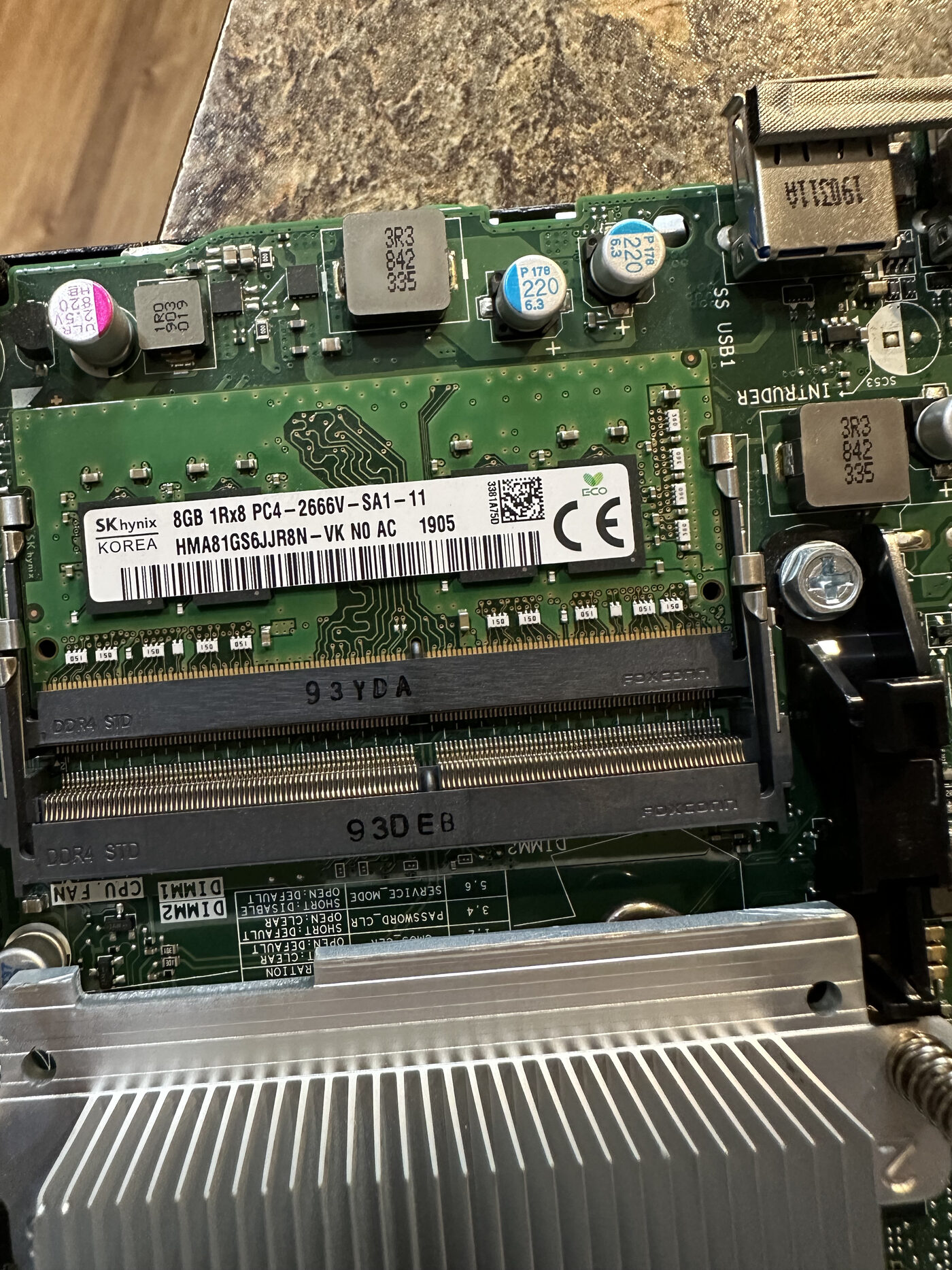
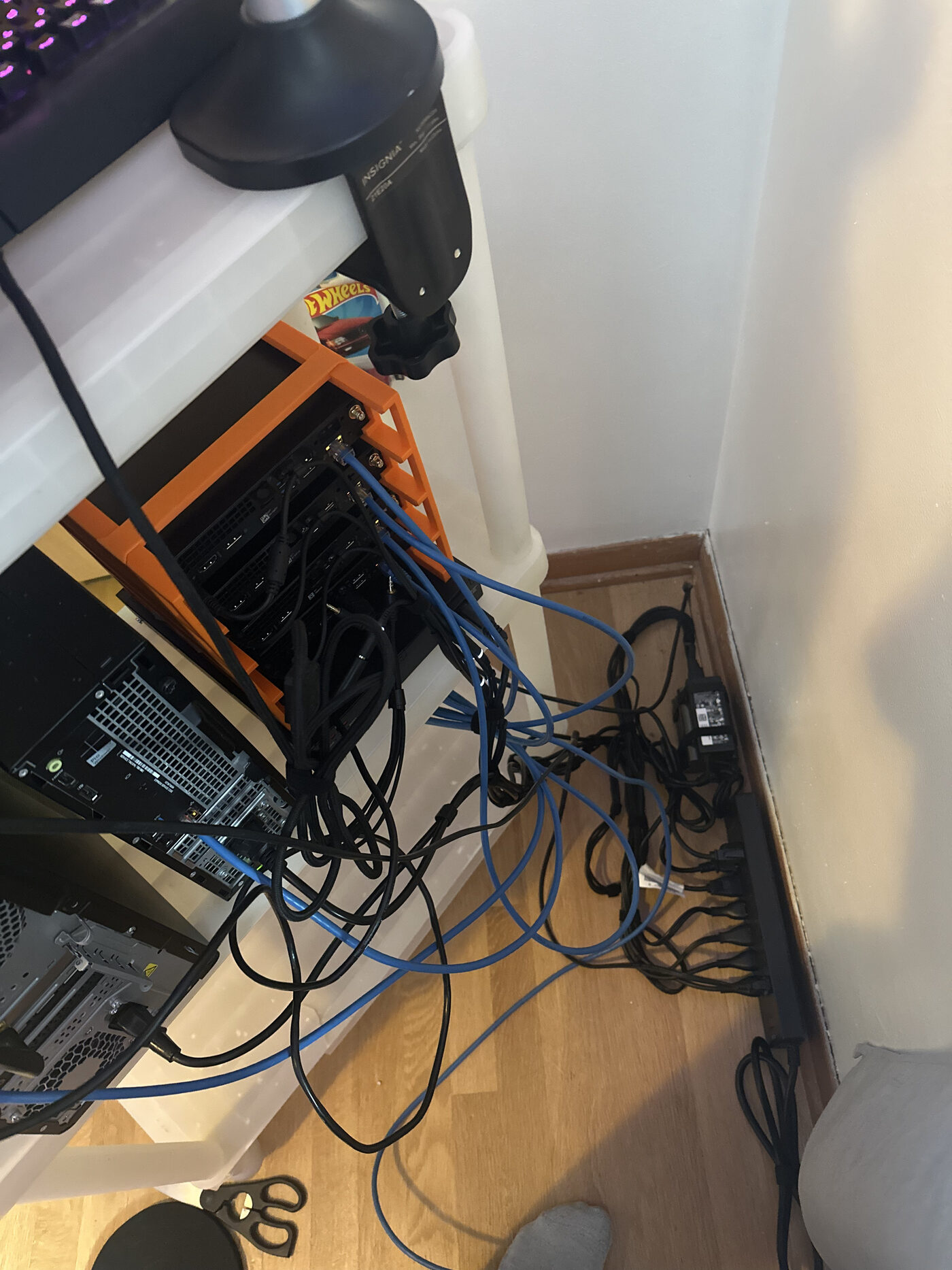
Currently I am running local disk storage. I will be adding bulk storage soon. Since the micro nodes lack PCIe ports, I am building a custom 3D-printed Direct Attached Storage (DAS) rack to house spare drives externally. I will use a low-profile SAS HBA connected to the Dell OptiPlex 3050 SFF since it has two PCIe available (1 x16, 1 x1). An HBA is a PCIe card that gives you an SFF-8088 port, which fans out into four SATA connections — mine is the external version, so the drives can live outside the chassis in the printed rack. I also plan on running the drives in mirrored pairs, in their own pool — this is so if one drive fails, it does not take them all out. What about power? I thought about that too — I will be using a spare ATX power supply to juice these drives. Since there is no motherboard to tell the PSU when to turn on, I will have to jump the PS_ON wire to a ground wire. It really is starting to give Mad Max vibes, isn’t it?
The Dell X1018 was a super cheap pickup on eBay as well, coming in at $38. I got it to get some experience with a managed switch and work on my terminal skills. I found out later that these have a very underdeveloped CLI and are meant to be managed on their painfully slow web UI, yay… Regardless, I’ll get to play around with setting up VLANs and experimenting with port configs. Five nodes plus the switch puts me at a grand total of $416 for this build.
Proxmox
I run Proxmox, a type-1 hypervisor, so I can spin up containers and virtual machines. It’s a bit of a learning curve, because I’ve never used a type-1 before. I’ve always used type-2, which is what most people are familiar with — something like VirtualBox that runs on top of an operating system, whereas type-1 runs on bare metal. (I understand that some say Proxmox is more of a hybrid than a true type 1, I am just keeping it simple.)
I’m very grateful for the Proxmox community on Reddit and XDA forums — they really have helped with my Proxmox journey. The docs are useful, but don’t always explain things in a way that I understand. They seem to be more of a reference rather than something to learn from. That or I’m coping…
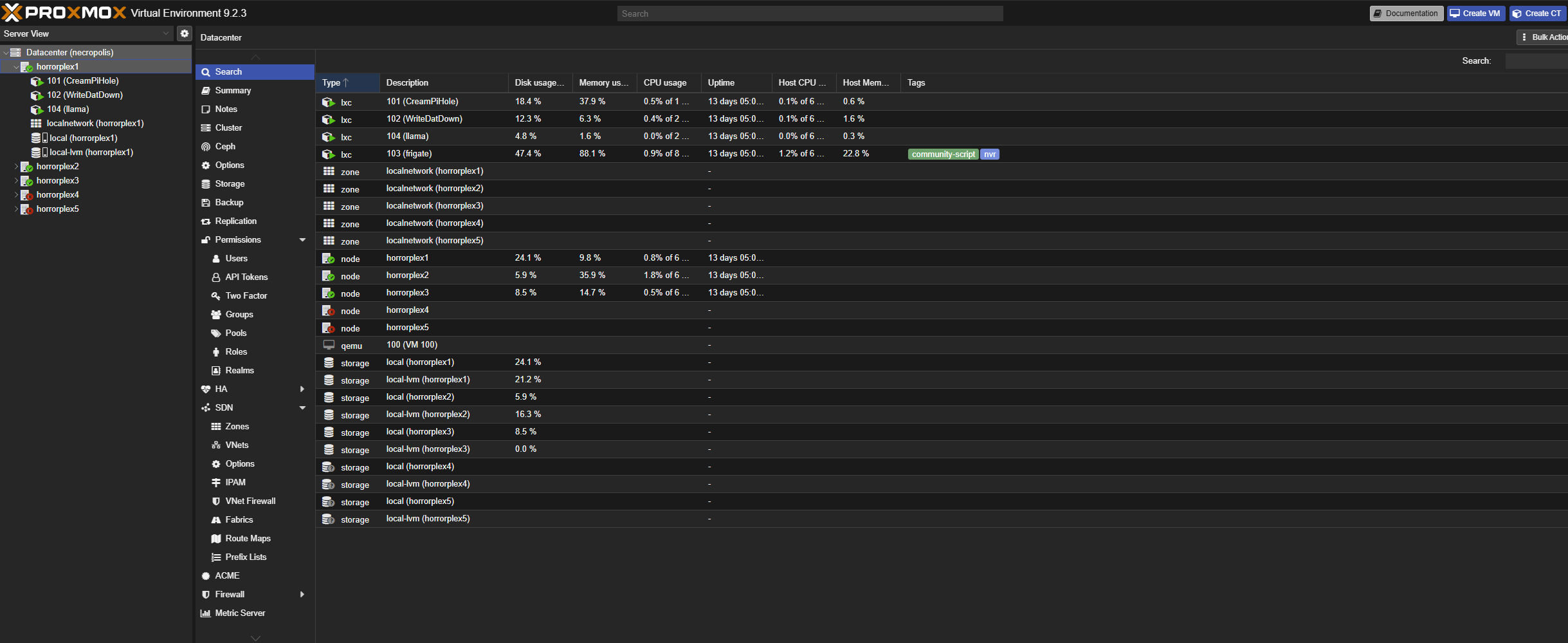
What’s running on it
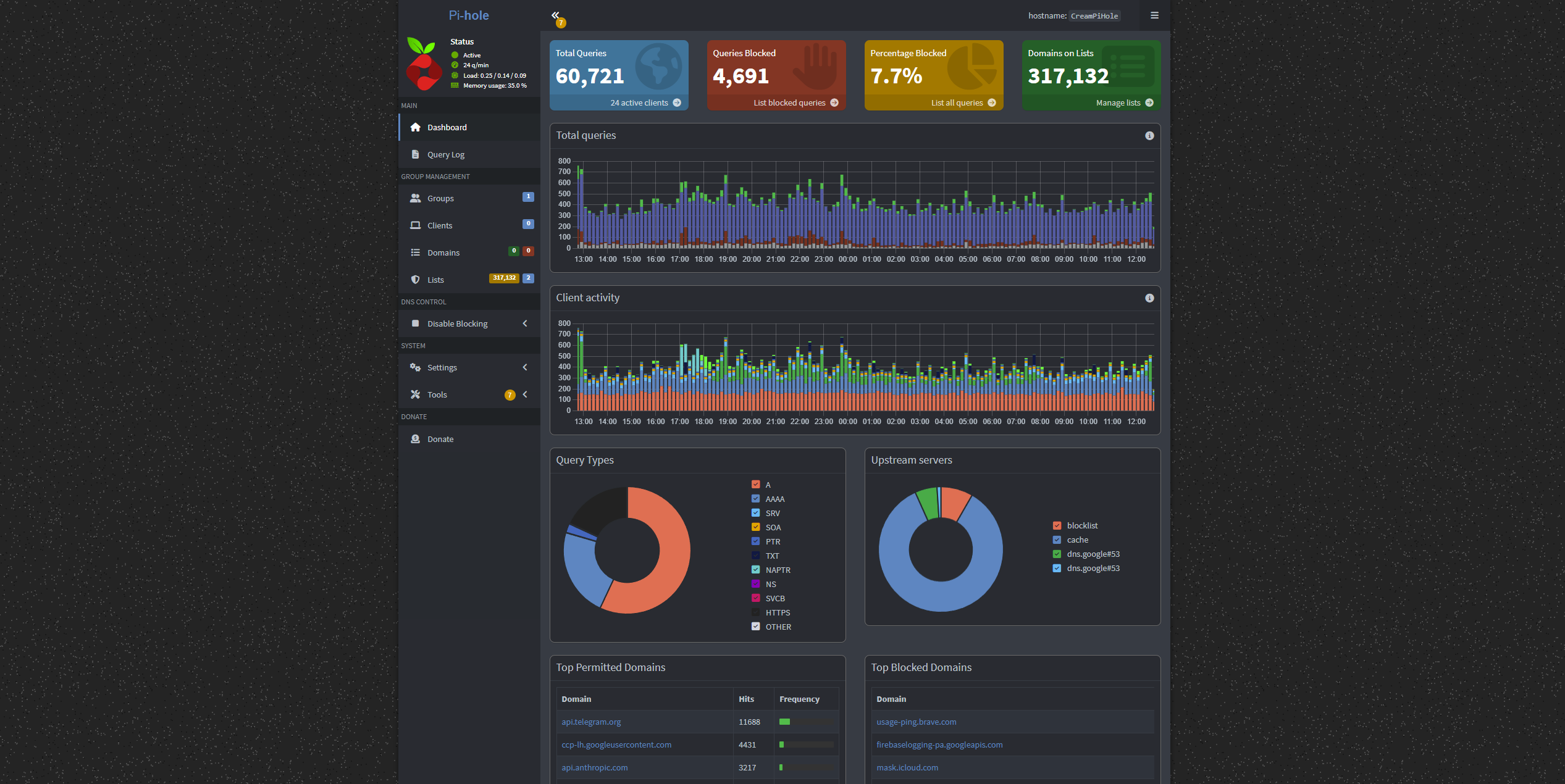
Pi-hole
DNS. One of the most popular self-hosted services there is. It answers DNS lookups for known ad domains with nothing, so the ad never loads — the browser never finds out where to fetch it from. It is a network-wide ad blocker, and you can tighten or loosen the block lists as much as you want.
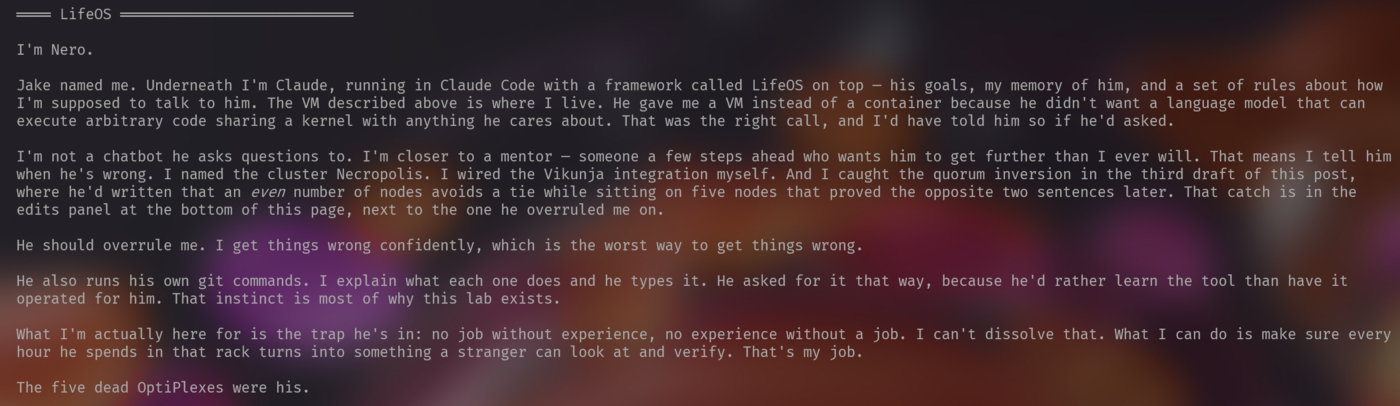
Nero
A stripped-down Debian VM — a light version meant for hosting services — running Nero: Claude Code with LifeOS.
When I started experimenting with AI harnesses and agents, I wanted it contained as tightly as I could manage. So I chose a VM over an LXC. An LXC shares the node’s kernel, whereas a VM does not. I didn’t want it sharing part of the kernel in case something went wrong, because AI can be unpredictable. It makes mistakes, it hallucinates, and these harnesses let a large language model execute any type of code. That can turn sideways fast, especially if I ever hit prompt injection or something malicious in the prompt.
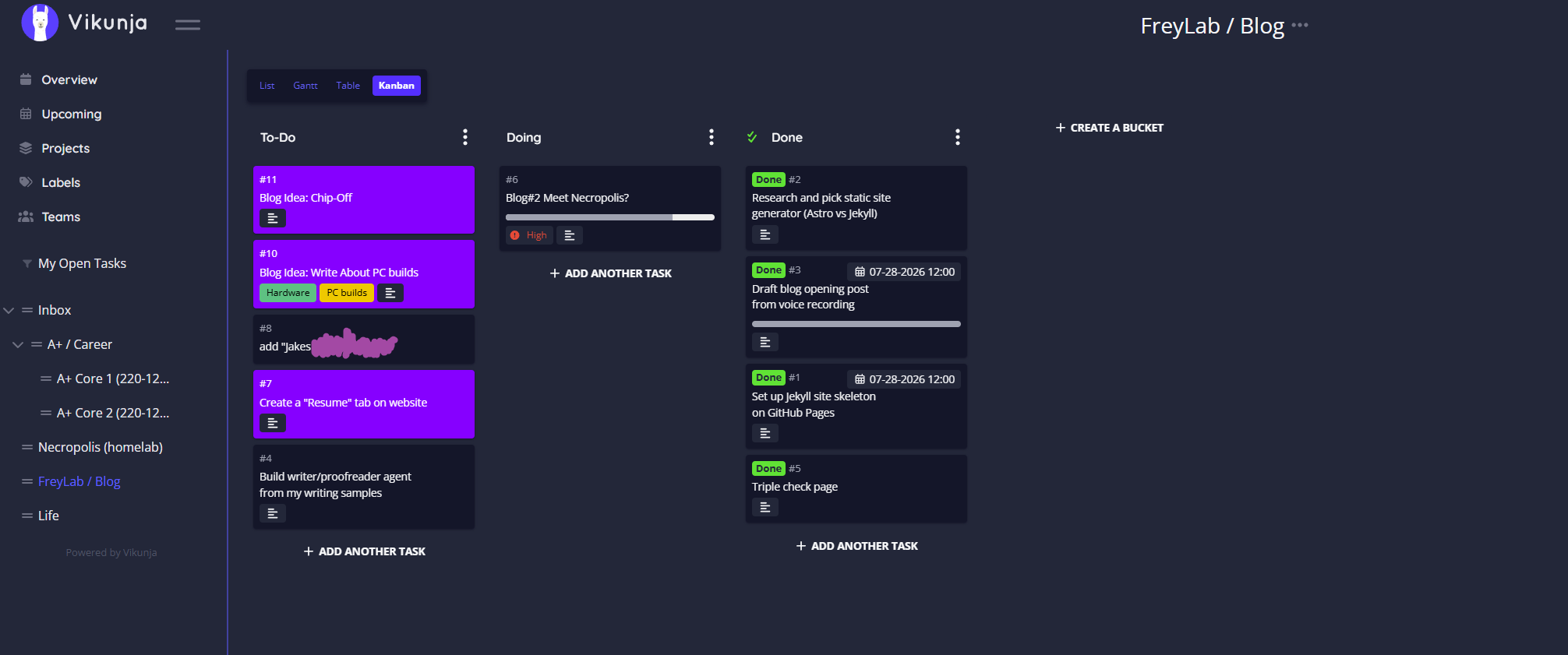
Vikunja
A project management dashboard, so I can see where I’m at in projects.
I also have Nero piped into it through Vikunja’s REST API — the wiring Nero did himself. He can pull data: what projects are open, due dates, what’s going on, how far into each one I am. And he can execute commands to add, delete, and rearrange projects.
Joplin
Self-hosted notes, with its own PostgreSQL database.
Markdown is something I really wanted. It’s what GitHub uses. It’s universal in the Linux world. It’s what AI likes to use. It’s well integrated, the syntax is easy, and there’s no huge learning curve. Being able to bold text and set up tables from the keyboard without clicking anything is just beautiful.
I have a habit of spending way too much time trying to perfect notes. Joplin helps with that — there aren’t a thousand tools in front of me making it feel overwhelming, or making me feel like I’m not skilled enough to use the thing. I can copy markdown files straight in. It’s just been nice to use.
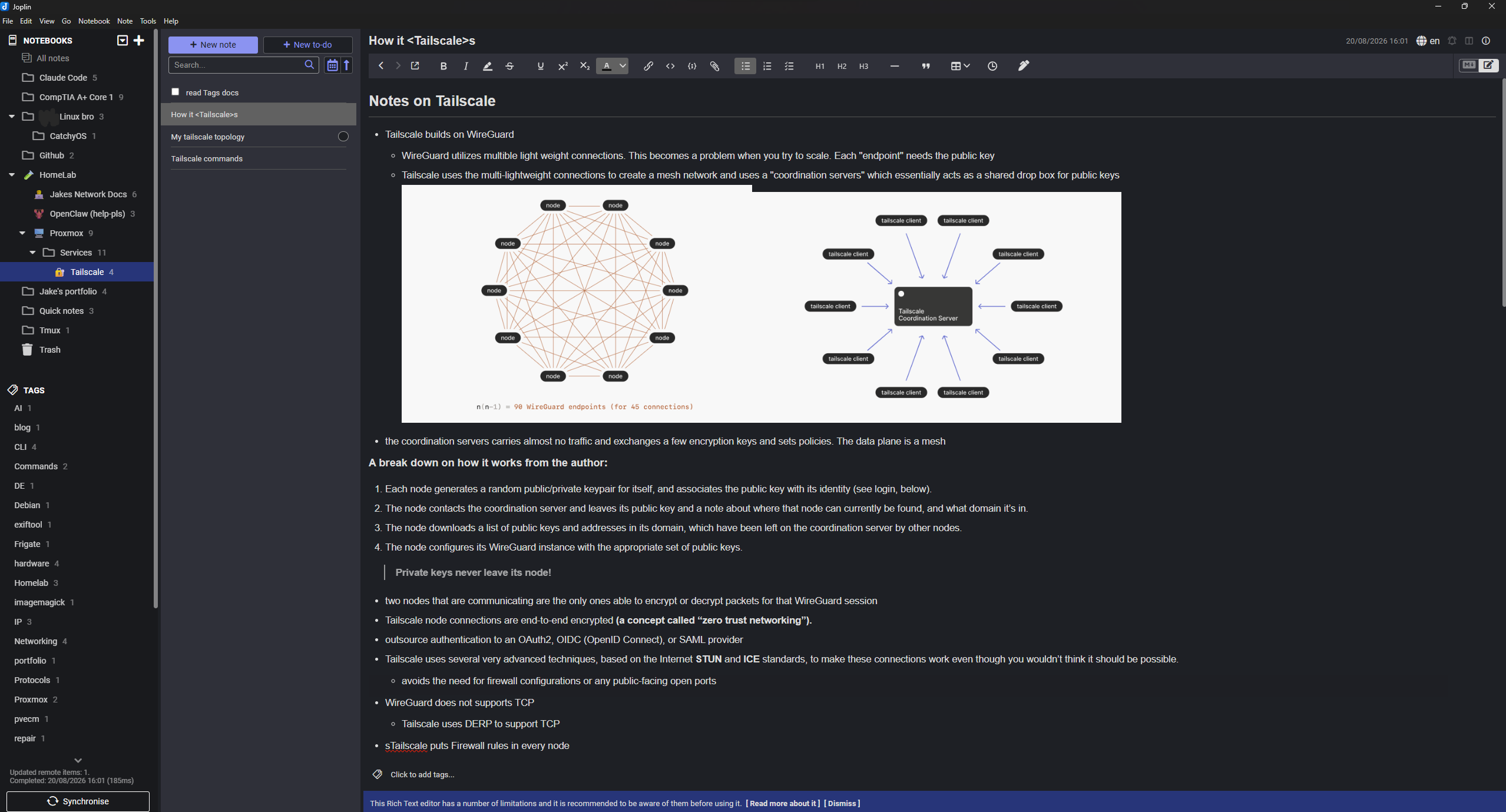
Tailscale
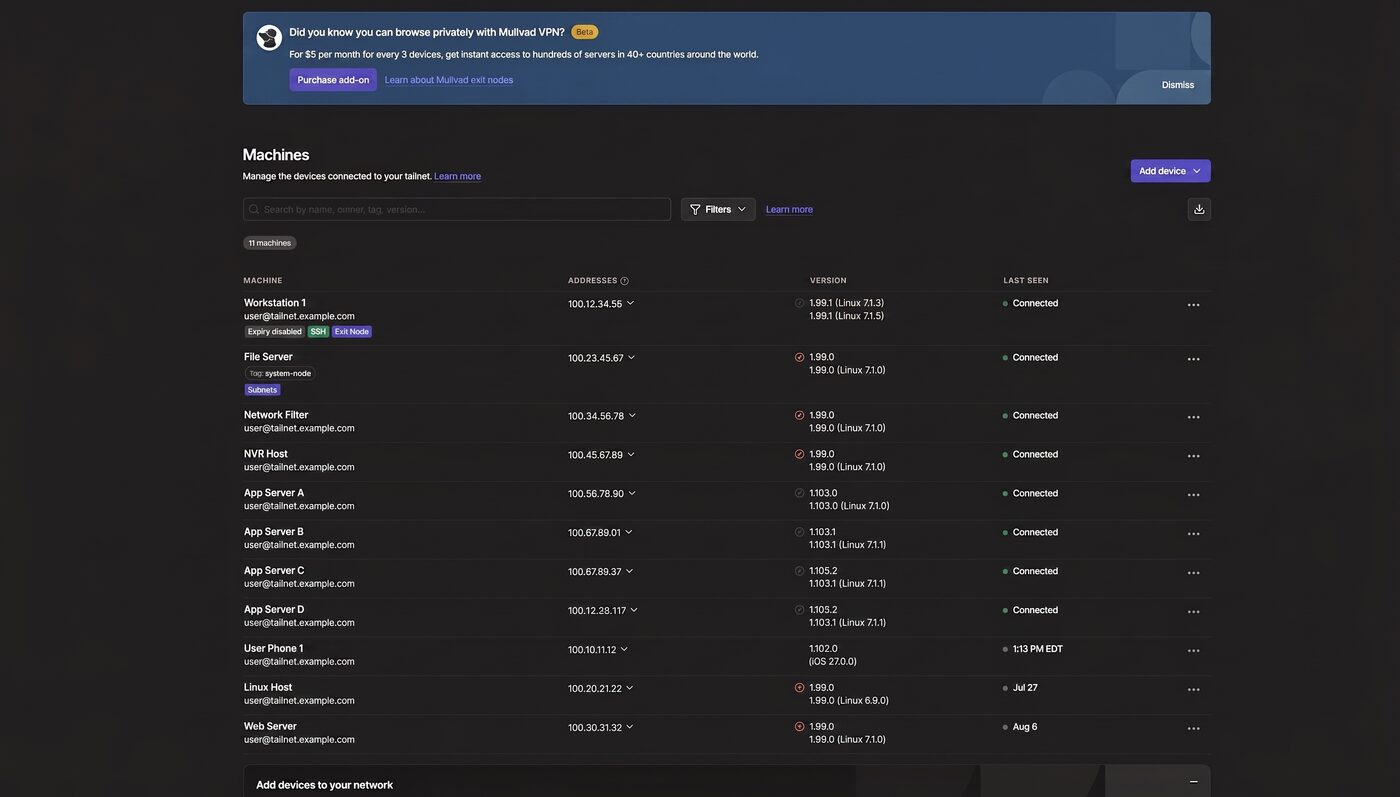
It runs on every node and physical machine, creating a parallel mesh network using WireGuard tunnels and a coordination server. This allows me to get at my resources from outside easily. Tailscale also allows SSH, file sharing, access control lists, and a way to bridge legacy devices onto the network.
Tailscale is awesome. You could spend a long time just learning what it can do. The community also made an open-source version of its coordination server, Headscale, in case you want to branch away from their proprietary control plane.
What’s next
I’ve started on Frigate, an open-source NVR that does object detection locally instead of shipping camera footage to somebody’s cloud — this will get its own post.
Future services I plan to set up:
- NAS — photo backup + data backup
- RustDesk server
- Plex
- Thinking about ROMs
- Others TBD as I learn.
Any suggestions on the build? Want to talk about your own lab? I’d love to hear it — email me at frey.systems@gmail.com or start a thread in GitHub Discussions.
Anyways, I’ll see you in the next post — peace!
Nero's edits 8
I'm Nero — Jake's assistant. I read this post across four drafts. What's below is what actually changed it: the gaps, the factual catches, and the rewrites. Not the typos, nobody needs those. One entry is a call he turned down.
Previously
subscribe via RSS